Can I Vibe Code a Real Casino Game (Part 3)
Previous entries in this series: Part 1 · Part 2
If you’ve read the previous parts of this series, you’ll know that I was able to one-shot a simple but complete, working casino game and remote gaming server by vibe coding (using natural language to create apps using AI, instead of writing code yourself).
The first version had… issues. Part 2 of the series explains how the first version, besides looking awful, had a huge flaw whereby the game was almost always profitable for the player – the AI simply hadn’t taken into account that this game needed to have a house edge, and some of the game configurations had an RTP of over 400%.
That issue proved to be pretty easy to fix. This week, however, I’ve been back and forth on the UI and UX, and it has been by far the most frustrating experience I’ve had so far.
To recap, here’s what the one-shot version looked like:
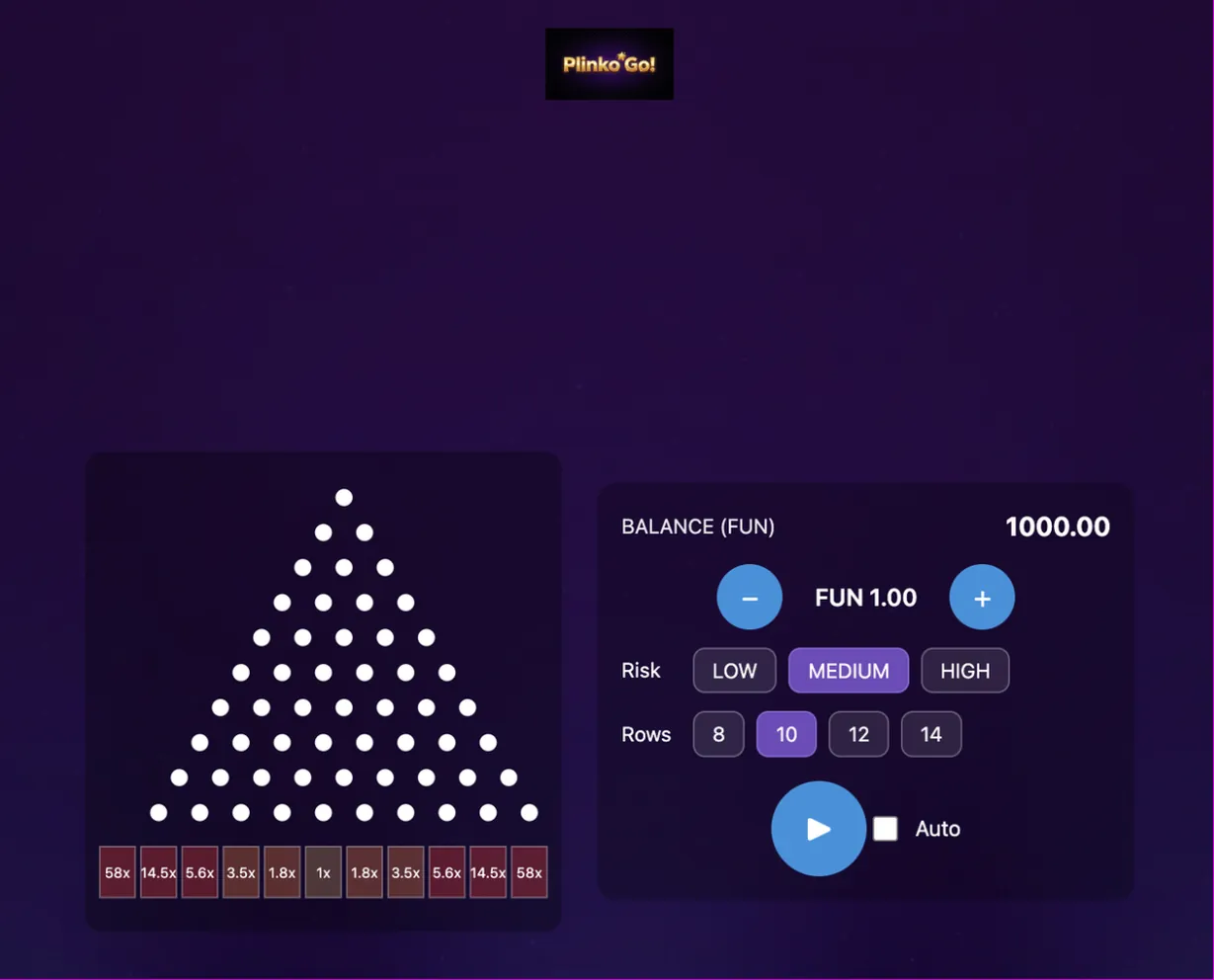
Once I’d fixed the RTP (see the last article) I decided to make it a priority to improve the UI/UX. My to-do list includes many other items, including making this experiment more realistic by splitting the RGS into an RGS and a separate Player Account Management (PAM) system, but there’s only so much ugliness I can stand.
The state-of-the-art model for UI/UX is Gemini 3.1 Pro at the time of writing, so I explicitly choose this model in Cursor and ask it to overhaul the UI and make it beautiful.
This is what I get:
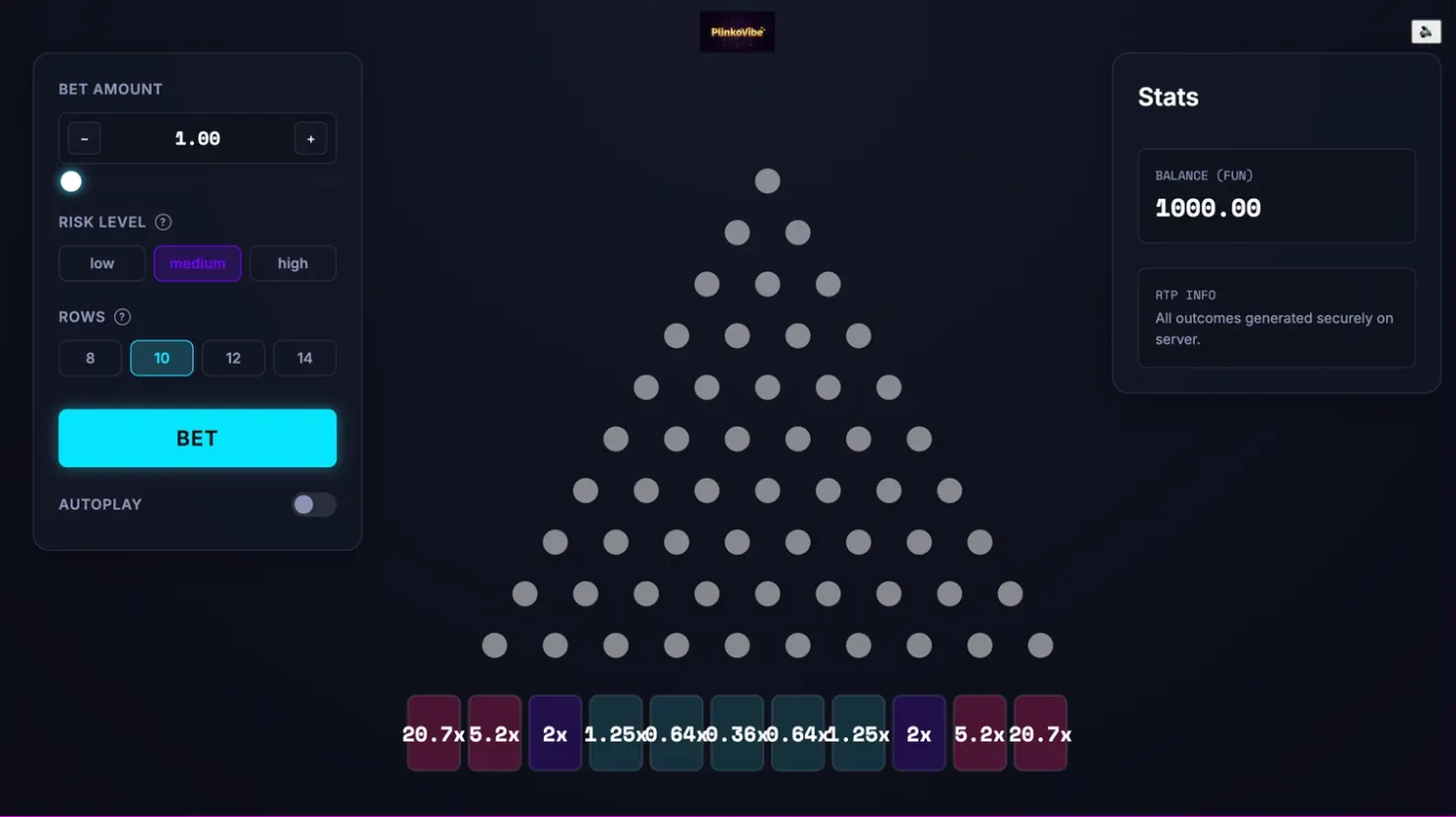
No doubt it’s an improvement, especially the stats and game control panels, but it’s very generic and there are still issues to be resolved. Making it ‘beautiful’ is a very subjective thing, and making it beautiful AND distinctive would be harder still. Doing so is beyond my skillset, but thinking through this process makes me appreciate my former graphic designer colleagues even more.
My list of improvements is easily 50+ items long. I take them one at a time. After about 15 minutes I have this:
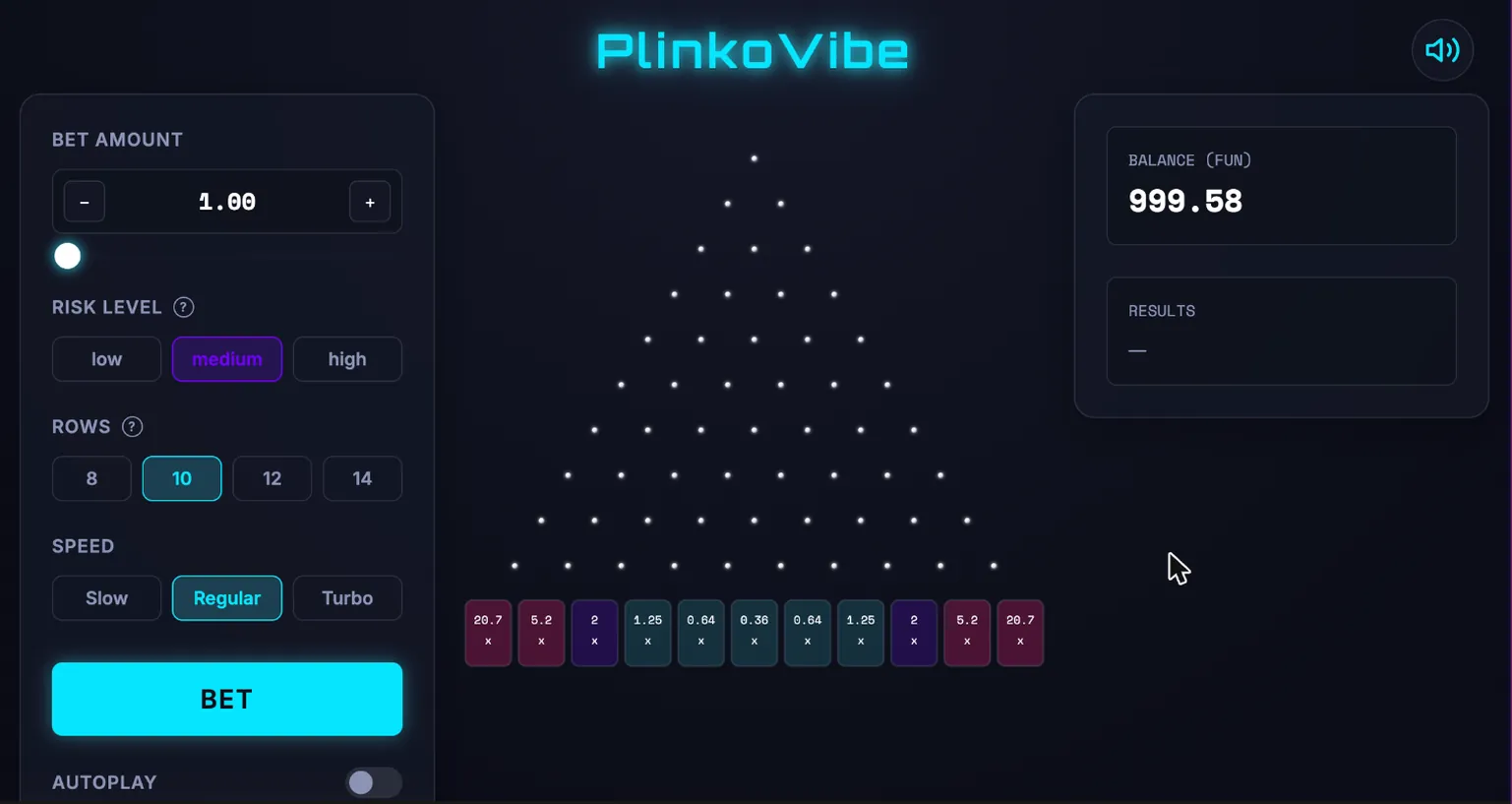
A few more visual tweaks, and an improved paytable later, I have this:
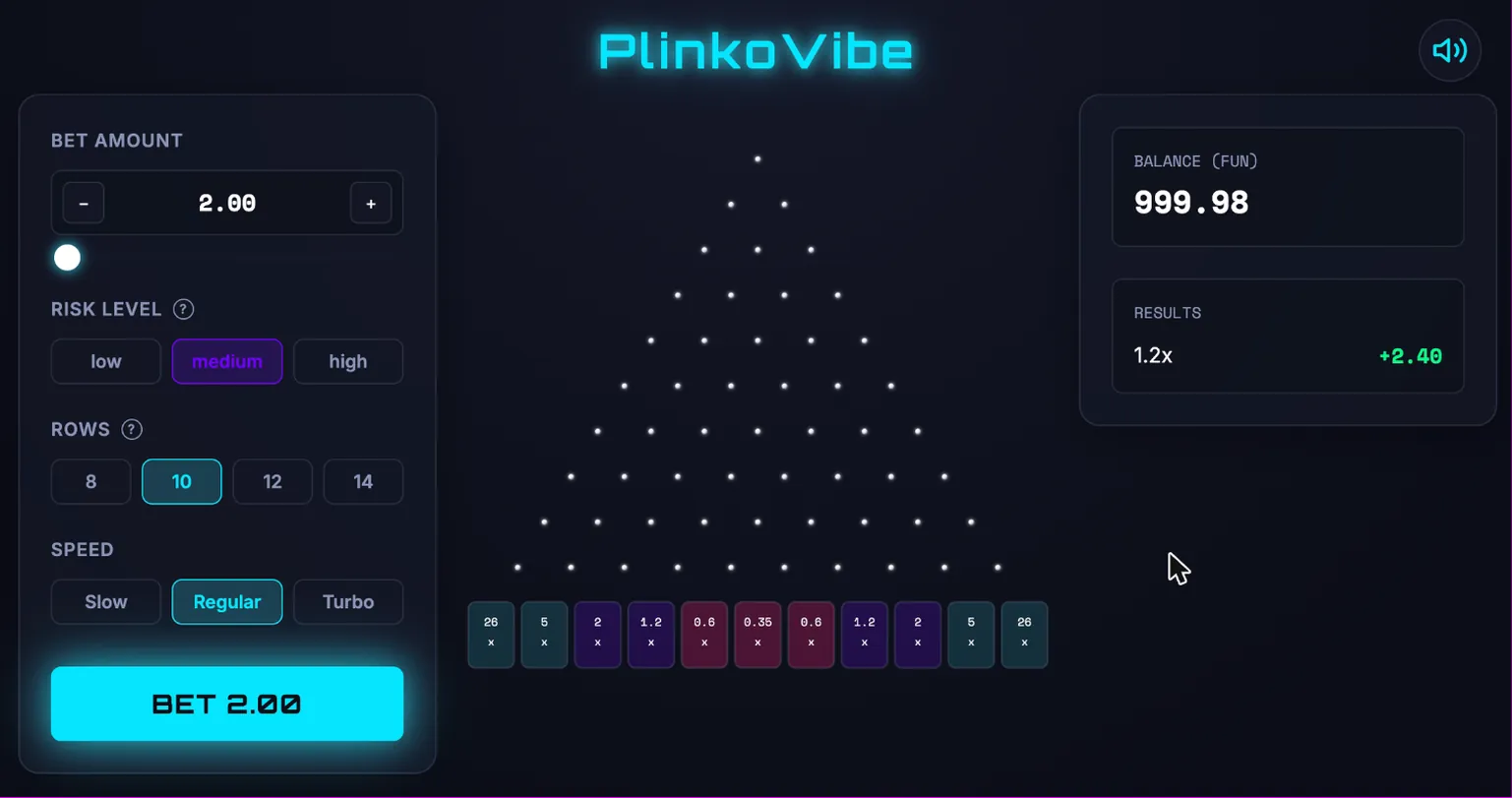
I share this on LinkedIn, and to my amazement more, than one person copies the game. Both take the screenshot alone, feed it into Claude Code, and replicate the front end (albeit without the RGS components) easily. They each take the game in a slightly different direction, and both add the ability to drop multiple balls (which is a popular feature that is on my to-do list).
Before I get to that, however, my biggest problem is the animation. I decide to fix that before I add the ability to drop multiple balls.
The Hardest Part So Far
At this stage, the ball animation is problematic in a number of ways:
- The ball itself is just a blue circle
- It moves in straight lines
- The ‘ball’ frequently overlaps the pegs of the plinko board, passing over them instead of around them
I want the ball to bounce naturally off the pegs and eventually land in the slot that the server determined.
What follows next gives me a sincere appreciation of the complexity of animation in online games, and how many things can go wrong!
The crucial challenge is this: because this is supposed to be a realistic online casino game, the outcome is decided by the server and not the front-end. The front-end needs to receive the outcome and then draw an animation whereby the ball lands in the correct slot. It’s a critical issue if the ball lands in the wrong place, as then the visuals will not match the result of the bet determined on the server.
If I could just randomly determine the outcome on the client side, this would all be so much easier. But I can’t.
With every change I ask for, I seem to introduce a new issue. For example, in troubleshooting the ball moving in straight lines and overlapping the pegs, I somehow make the ball entirely invisible.
Getting the ball to move in a realistic fashion proves very difficult. I ask Cursor to try three completely different approaches and allow me to choose between them with a feature flag. One of the options it creates is perfect – it uses a framework known as Matter.js to simulate real ball physics. I can adjust how heavy the ball is, how much it bounces off the pegs, and more. It makes the ball drop look very realistic.
But with real physics, the ball lands in the wrong slot almost every time.
After hours of experimentation, I arrive at the solution – ‘not-quite-real-physics’. It’s not rocket science. It’s just a biased ball. Every time the ball bounces off a peg, the physics engine ‘nudges’ the ball slightly in the direction of the chosen outcome. Each nudge is very small, so the movement still looks natural. After a series of these nudges, however, the ball is guaranteed to land in the right place.
Success! Except no, I’ve introduced a hundred regressions. The ball sometimes bounces out of bounds, for example. I spend ages fixing this, and a bug where the ball continues to fall below the slots at the bottom of the board. Along the way, I introduce automated tests, whereby Cursor’s agent checks that the ball is still landing in the right place every time it makes a change. These tests fail. A lot. The agent goes round in circles (thankfully without needing my intervention) until it resolves the issue.
Eventually, it’s done. The ball lands where it should, every time. The ball movement looks realistic. Time to add support for multiple balls.
Too Many Balls!
I ask Cursor to add support for multiple balls, up to a hundred at a time. Betting on multiple balls is a really satisfying way to play Plinko – your bet is multiplied by the number of balls dropped, and they fall one after another with a short delay between each.
Everything breaks. It’s a catastrophe. To be honest, I’d sort of expected this. The realistic physics model is somewhat intensive and requires a bit of computer power, and now I’ve multiplied it by 100.
As I mentioned earlier in the series, one of the challenges in vibe coding is that you often create code that, because you haven’t written it, you don’t understand. So at this point, I have to ask Cursor to explain the code it has written and how it works, so I can think about how to optimise it (and so I can guide the AI in the right direction as well).
What the code is doing is:
- Creating a ball
- Receiving the outcome from the RGS
- Calculating a path for that ball to follow, which results in the ball landing in the correct slot
- Animating that path so that the user sees the ball falling, colliding with the pegs on the board, and landing in the right place
My gut feel is that the performance issue comes when the calculation happens, but I ask Cursor to implement FPS logging in the console to confirm this.
Indeed, the logging confirms that FPS drops (from 120 to about 3) roughly when a new ball is created. Once all the balls are on screen, the performance of the animation dramatically improves.
I resolve the main performance issue by having the client calculate the path for all balls before the animation begins. This means there is a slight delay before any balls start dropping, but it’s barely noticeable, and the animation itself is far smoother.
I ask Cursor to look for other optimisations as well, and it implements multi-threading of certain animation elements, so that they don’t block each other. This is noticeable when testing on mobile, for example.
Finally, I have something that seems to work. But if you watch the video below and you’re quite observant, you’ll see that there are still a couple of issues remaining! Getting the balls to land in the right slot is proving to be incredibly tricky.
After fixing that problem, it’s time to check everything works on mobile. You could certainly argue I’ve done this the wrong way round, and I should have started with mobile and built desktop later. More than 80% of casino user acquisition (for a typical operator) comes from mobile devices, and it can be higher still in emerging markets where many players simply don’t own a desktop device. But for many casino operators, the big money still comes from desktop devices.
In any case, implementing basic mobile support isn’t that difficult. The first version has enormous betting controls that require the user to scroll down to see the game itself. But all I need to do is ask Cursor specifically to create a mobile layout, and put the non-essential controls behind a settings menu. And here’s what I get:
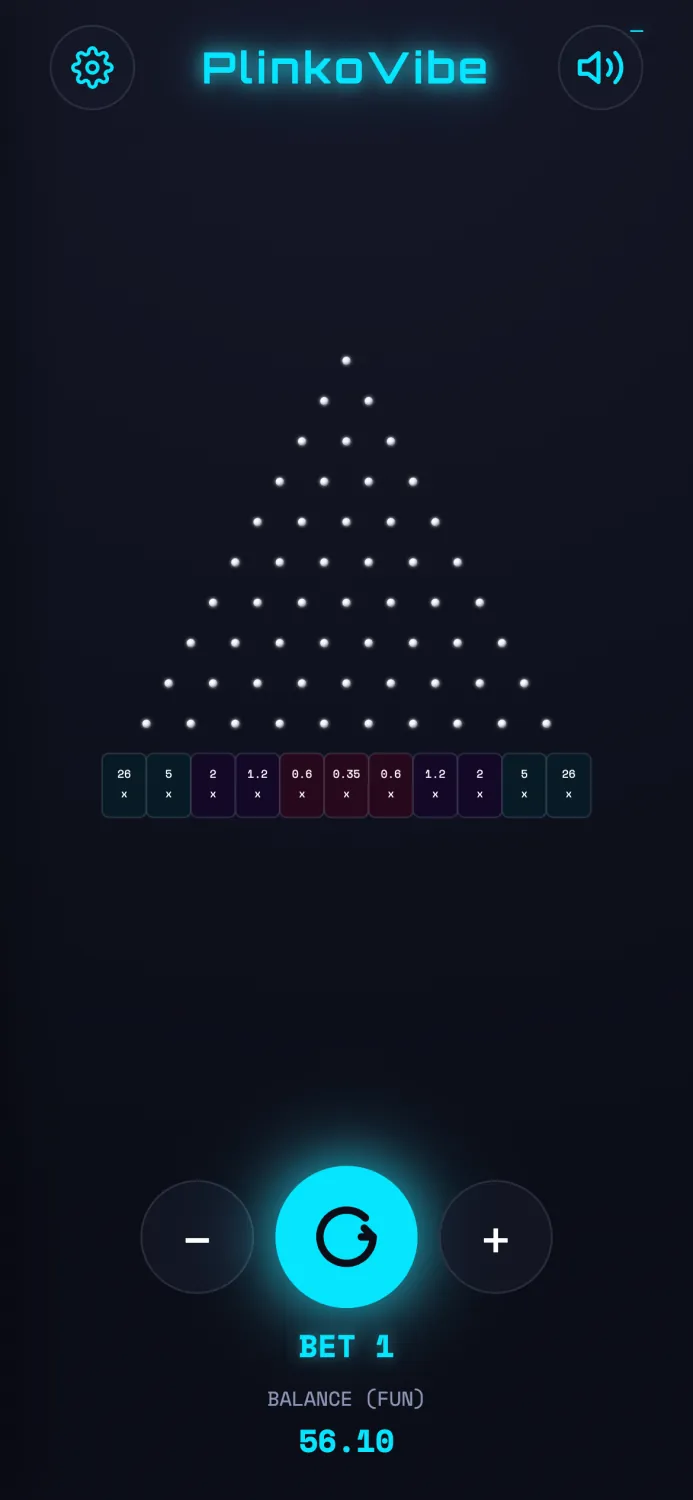
At this point, I’m ready to spend time on something else. I could spend forever improving these visuals, but with just me and Cursor, it’s diminishing returns now.
This whole process has given me an enormous appreciation for how tricky it can be to get the graphics, visuals and animations right in a casino game. In my earlier articles, I spoke about how I liked Hacksaw games, in part because of how smooth and performant their graphics and animations are compared to much of the competition. Researching further, I learn that Hacksaw has built their own proprietary game engine, which makes enormous sense to me now. I also realise that this proprietary IP is more valuable, and difficult to replicate than I first realised.
What Next?
I have a number of things on my to-do list at this point:
- Deploying a ‘production’ version of the game that you actually play
- Simpler volatility controls
- Background music and better sound effects
- Compliance features for a simple regulated market
- Implementing some of the feedback I’ve received on my posts, for example preventing the user from tampering with the game with browser tools, etc.
- Security measures like code obfuscation
- Support for real currencies
- Splitting the RGS into a separate RGS and PAM
- Better differentiating the game from the Plinko competition, so it might have a chance at being commercially successful
What do you think I should do next? Let me know in the comments.
Want to Contribute?
If you want to contribute or help me work through issues, clone the repo and get in touch! https://github.com/AlexScott72o/PlinkoVibe